One image hides the back
A single photograph shows only one viewpoint, so hidden surfaces, thickness, and underside geometry must be inferred.
Workaround
Use a second angle or accept a simplified back side when the model is mainly for viewing.
A photo to 3d free workflow can help you move from a single reference image to a useful 3D starting point. Prepare the input, set realistic expectations, and review the result before refining it.
The best results begin before conversion. A clean source image and a defined purpose make a larger difference than repeatedly changing tools.
A single photograph shows only one viewpoint, so hidden surfaces, thickness, and underside geometry must be inferred.
Workaround
Use a second angle or accept a simplified back side when the model is mainly for viewing.
Tiny lettering, thin handles, deep grooves, and repeating patterns can be interpreted as texture rather than solid geometry.
Workaround
Use a larger, sharper reference and simplify details before conversion.
A route described as free may still have product-specific limits on access, generation, or refinement.
Workaround
Check the current handoff experience and keep the source image ready so you can iterate efficiently.
The first result may need cleanup, scale correction, topology work, or a new texture pass before professional use.
Workaround
Treat the generated object as a starting point and validate it in the destination application.
Here is a practical pass from source image to reviewable model, with the decisions that matter at each stage.
Choose a sharp image with the subject separated from the background. Crop away distractions and make the object large enough to read clearly.
State what the subject is, which features must remain recognizable, and whether the result is for preview, animation, design review, or printing.
Check silhouette, proportions, hidden surfaces, and small features. Keep the useful structure, then revise the input or prompt if the result misses the target.
The before-and-after difference is usually strongest in overall form, not in every hidden or microscopic detail.
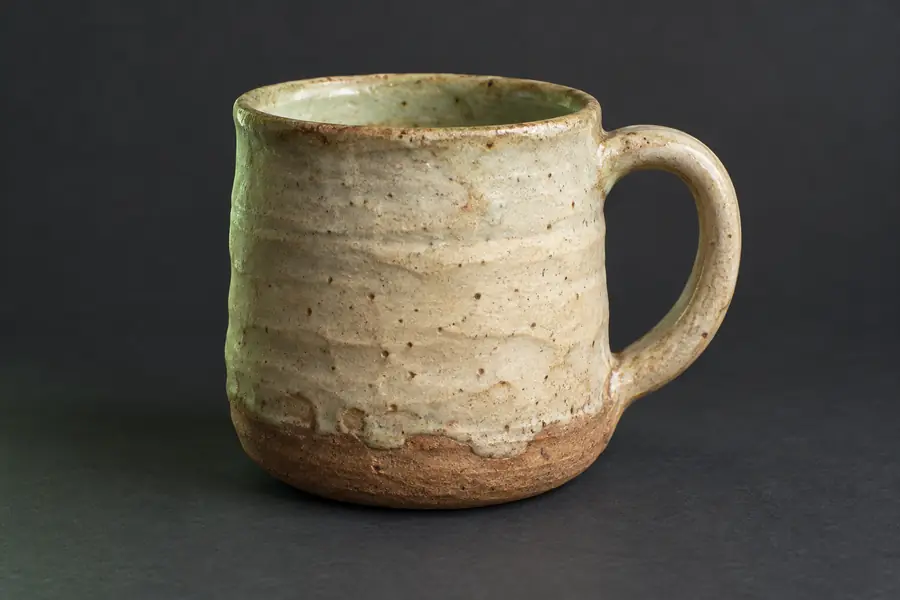 Reference image
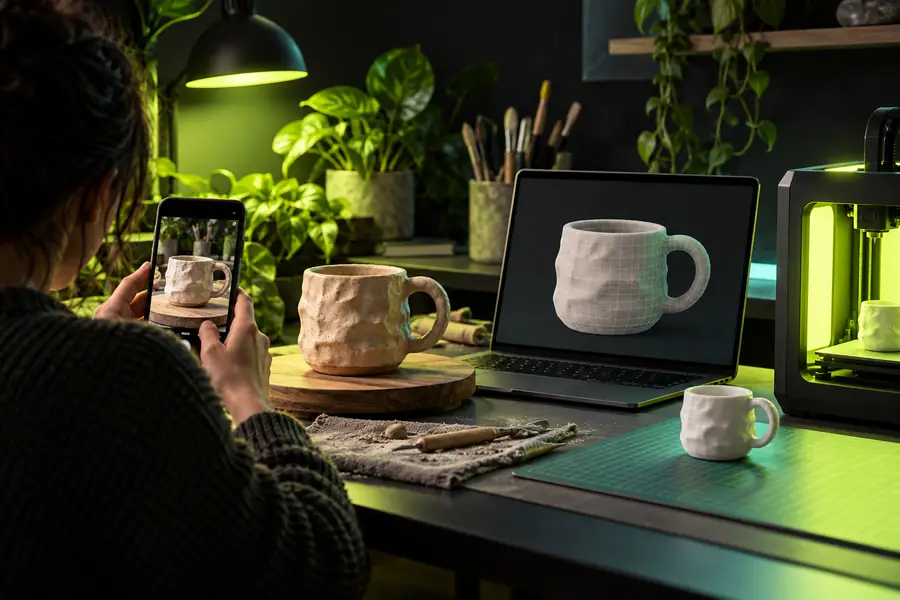 3D starting point
You have a visual concept or reference object but need a spatial starting point for review.
A rough model helps communicate proportion and form before detailed CAD work begins.
image to 3d model aiYou want to turn a character, prop, or sculptural reference into a scene-ready experiment.
The first pass gives you a shape to adjust, texture, and combine with other assets.
photo to 3d examples onlineYou are considering a physical object and need to assess its overall form before preparing it for fabrication.
A visual model can expose proportions that are difficult to judge from a single photograph.
convert image to 3d model for printingYou need a tangible visual aid from an ordinary image for a lesson, demonstration, or concept board.
A converted object can make spatial relationships easier to explain and discuss.
photo to 3d tutorial step by stepUse this comparison to choose the simplest route that matches your source image and intended result.
Best starting point
Quick photo workflow
One clear image with a visible subject
Detailed production workflow
Multiple views, measurements, or an existing reference set
Primary goal
Quick photo workflow
Fast visual exploration and concept review
Detailed production workflow
Controlled geometry for a defined production task
Hidden surfaces
Quick photo workflow
Usually inferred from the visible view
Detailed production workflow
Can be checked against additional views or measurements
Fine details
Quick photo workflow
May be softened, merged, or treated as texture
Detailed production workflow
Can be modeled deliberately during cleanup
Setup effort
Quick photo workflow
Lower; begin with a prepared image and clear description
Detailed production workflow
Higher; gather references and plan the modeling process
Review requirement
Quick photo workflow
Inspect the silhouette and major features after conversion
Detailed production workflow
Validate topology, scale, materials, and downstream compatibility
Most suitable output
Quick photo workflow
A usable 3D starting point or visual mockup
Detailed production workflow
A checked asset intended for a specific pipeline
The most useful free workflow is the one that saves you from starting with an empty scene while keeping the limits visible. Bring a strong reference, describe the result plainly, and use the first model as a decision-making asset rather than a guaranteed final.
Start a 3D conversionThese answers address the practical questions behind a photo to 3d free search.
You can begin with a free-access workflow when the available product route supports it, but free access does not guarantee unlimited generations or production-ready output. The result is best treated as a starting point that may need review and cleanup.
Use a sharp, well-lit image where the subject is large in the frame and clearly separated from its background. A simple view with visible edges usually gives the workflow more useful shape information than a cluttered or heavily filtered photo.
A single photo can provide a recognizable approximation, but it cannot fully show hidden surfaces, thickness, or the underside. For better accuracy, add another angle or plan to correct the inferred areas manually.
First check the source image, silhouette, and description rather than focusing only on surface detail. Crop distractions, clarify the object and desired style, or provide another view, then compare the revised result against the original reference.